Understanding TradingView: Overview and Capabilities
TradingView is an advanced platform designed for traders, investors, and market analysts seeking real-time data and sophisticated analytical tools. It caters to a global audience, providing access to a wide array of markets and asset classes. Whether you are just beginning your trading journey or you have years of experience, TradingView offers a versatile environment for technical analysis, strategy development, and community engagement. Its intuitive interface and feature-rich capabilities make it a go-to resource for anyone aiming to make informed trading decisions.
What is TradingView?
At its core, TradingView is a web-based platform that delivers comprehensive market data, advanced charting tools, and community-driven insights. It enables users to analyze market trends and movements effectively while offering features like customizable charts, trading alerts, and integrated social networking functionalities. This unique combination allows traders to share ideas, learn from others, and keep abreast of market changes in real time.
Core Features of TradingView
- Advanced Charting: TradingView's charts are customizable and support multiple timeframes, allowing users to visualize data in a way that best suits their trading style.
- Technical Indicators: A vast library of built-in technical indicators and drawing tools is available, empowering users to conduct thorough market analysis.
- Market Scanners: Users can filter and sort assets based on specific criteria, helping to identify potential trading opportunities swiftly.
- Alerts and Notifications: TradingView offers alert functionality that triggers notifications based on price or technical conditions, minimizing the need for constant monitoring.
The Importance of Multi-Device Accessibility
In today's fast-paced trading environment, the ability to access information and tools across various devices is crucial. TradingView supports desktop, web, and mobile applications, ensuring that users can maintain their analysis and trading strategies regardless of where they are. This seamless transition between devices enhances productivity and responsiveness to market changes.
Common TradingView Mistakes and Their Impact
Despite its user-friendly design, many TradingView users make common mistakes that can hinder their trading success. Understanding these errors and how to avoid them can significantly enhance your trading experience and outcome.
Neglecting Chart Customization
One of the most frequent pitfalls is failing to adequately customize charts. Many users stick to default settings, missing out on vital information due to insufficient indicators or the wrong visual style. Customizing your chart layout, such as selecting appropriate colors, time frames, and indicators, plays a vital role in optimizing analysis.
Ignoring Alerts and Notifications
Another common mistake is the neglect of the alert features available on TradingView. Users often forget to set alerts for significant price levels or technical conditions, which can lead to missed trading opportunities. Configuring alerts can save time and allows traders to react promptly to market movements without constant monitoring.
Overcomplicating Technical Analysis
Many traders tend to overcomplicate their analysis with too many indicators or overly intricate strategies. Simplicity can often yield better results. Focusing on a handful of reliable indicators that align with your trading strategy can lead to clearer signals and more informed decisions.
Best Practices for TradingView Setup
To make the most of TradingView, users should implement certain best practices that can enhance their analytical capabilities and trading discipline.
Optimizing Chart Layouts for Analysis
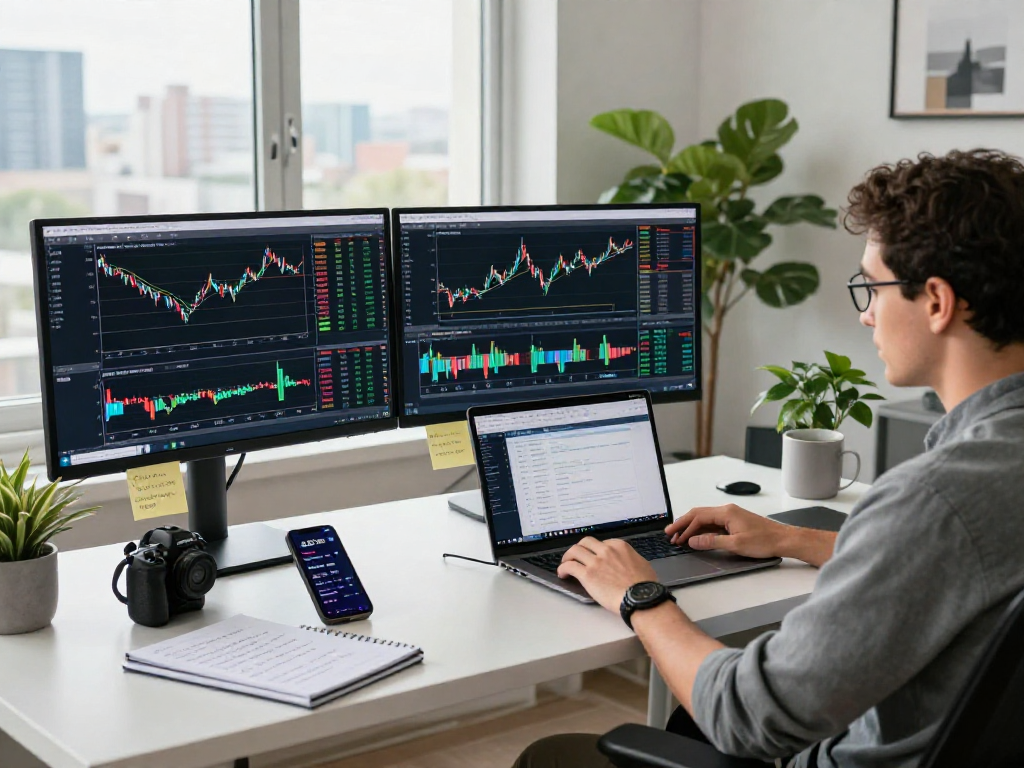
Effective chart layouts are key to successful trading. Ensure that your charts display relevant information prominently. Experiment with different arrangements, such as multi-chart layouts, to monitor various assets or time frames simultaneously. This way, you can make more informed trading decisions.
Configuring Alerts for Effective Monitoring
Setting up alerts based on your trading strategy will help streamline your analysis process. Utilize price alerts, technical indicator alerts, and even news alerts to ensure that you are always informed of significant market movements or conditions without the need for constant manual supervision.
Simplifying Indicators for Better Focus
Using too many indicators can create confusion and lead to analysis paralysis. Aim to simplify your approach by focusing on a few key indicators that you understand well. This will not only enhance your decision-making process but also improve your overall trading performance.
Advanced Strategies for TradingView Users
For users looking to take their TradingView experience to the next level, there are advanced strategies that can be implemented.
Creating Custom Scripts and Strategies
TradingView allows advanced users to create their own custom scripts using Pine Script, a domain-specific programming language. By developing bespoke indicators or strategies tailored to your trading style, you can gain a distinct advantage over standard approaches.
Utilizing Community Resources and Ideas
The TradingView community is rich with shared ideas, strategies, and analysis. Engaging with other traders by following public scripts, participating in discussions, and sharing insights can expand your perspective and strengthen your trading strategies.
Trends to Watch in 2026
As technology evolves, staying ahead of market trends is essential. In 2026, expect increased integration of AI-driven analytics and machine learning tools within TradingView, enhancing predictive capabilities and market analysis. Additionally, the rise of decentralized finance (DeFi) will likely influence trading strategies and asset allocation significantly.
Frequently Asked Questions About TradingView
What are the key features of TradingView?
The key features of TradingView include advanced charting tools, a variety of technical indicators, market scanning capabilities, and robust alert systems, making it a comprehensive platform for traders.
How can I improve my TradingView experience?
Improving your TradingView experience involves customizing your dashboards, utilizing the alert feature, and simplifying your indicators for clearer signals. Engaging with the community for insights can also enhance your strategies.
What devices can I use with TradingView?
TradingView is accessible on multiple platforms, including desktop (Windows, macOS, and Linux), web browsers, and mobile devices (iOS and Android), allowing users to trade on the go.
Are there costs associated with TradingView?
TradingView offers a free plan with basic features; however, premium plans provide additional functionalities and access to more data, features, and tools. Users should review the current pricing structure to decide which plan best suits their needs.
How do alerts work in TradingView?
Alerts in TradingView trigger notifications based on price changes or specific technical conditions. Users can configure these alerts through the platform's settings, allowing for customized trading strategies without constant monitoring.